Make a whole Etsy listing from a template set
Cover, preview, details and licence pages in one look, ready for your pictures.
1 min read
A template set is a full set of listing images for one kind of product, in the order buyers see them. There are sets for clipart, junk journals, baby shower, birthday and wedding invitations, evites, wall art, colouring pages, spreadsheets, seamless and digital paper, planners, SVG and cut files, and social media.
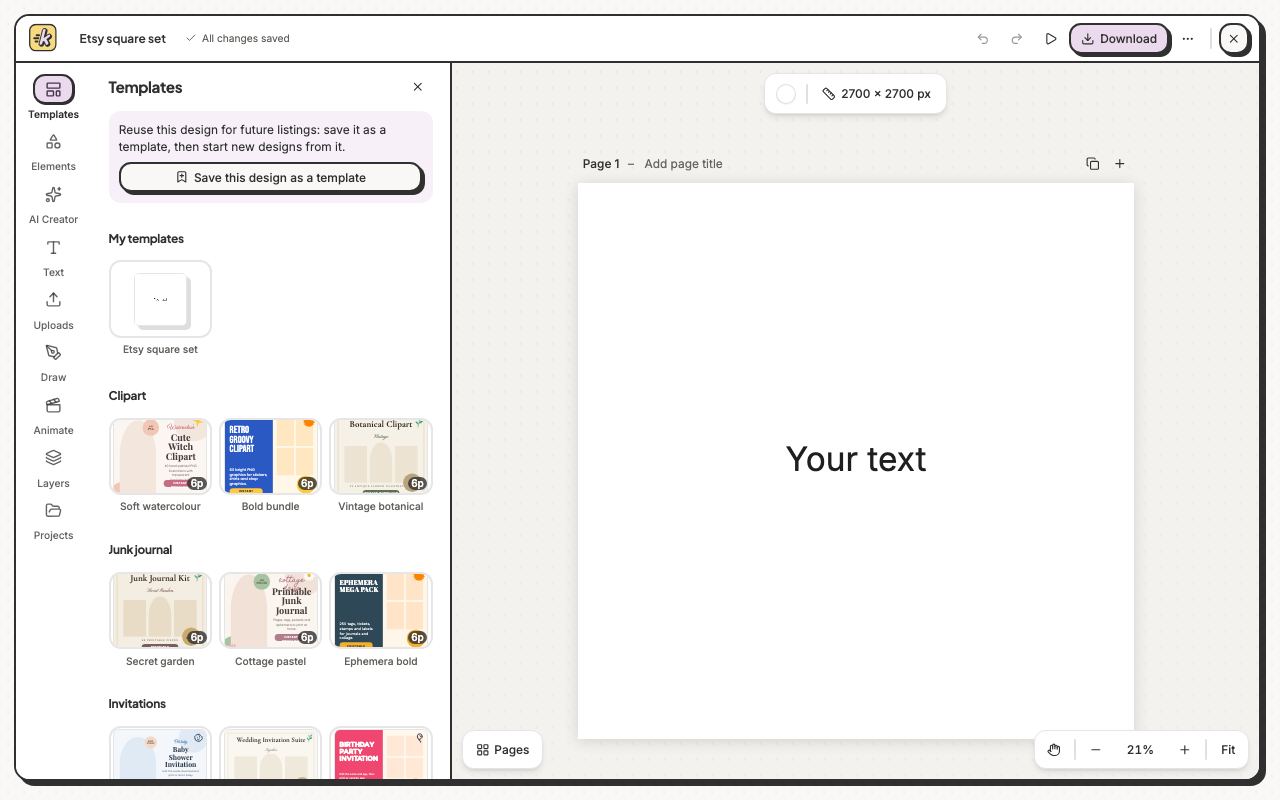
- Click Templates on the left.
- Click a set, such as Soft watercolour under Clipart.
- Click Use all 6 pages to add the whole set, or click one page to add only that one.
- Drag your own pictures onto the empty frames, then change the words.
To reuse your own layout, click Save this design as a template at the top of Templates; it shows under My templates.