AI clipart generator for sellers who need whole sets
Write one prompt and get every animal, flower or season in the same style. Then press Remove background for transparent PNGs you can sell, with no watermark.
20 free credits for new accounts · No credit card · Free plan available
“Cute watercolor hand draw image of a cute Blue Gray Blue Whale, gentle waves and soft morning light, storybook mood, high detail fins”

How to use Image Creator
4 steps, from what you bring to what you download.
Describe your clipart
Write what you want in the prompt box. On paid plans, add {a, b, c} to get one image per option.
Add a style or reference
Open the + menu to upload a reference image, choose a style or pick a saved prompt. All optional.
Pick the model and size
Choose the model, its quality and the aspect ratio, then how many images you want per prompt.
Generate and finish
Press Generate. From any result, remove the background, upscale it or download it.
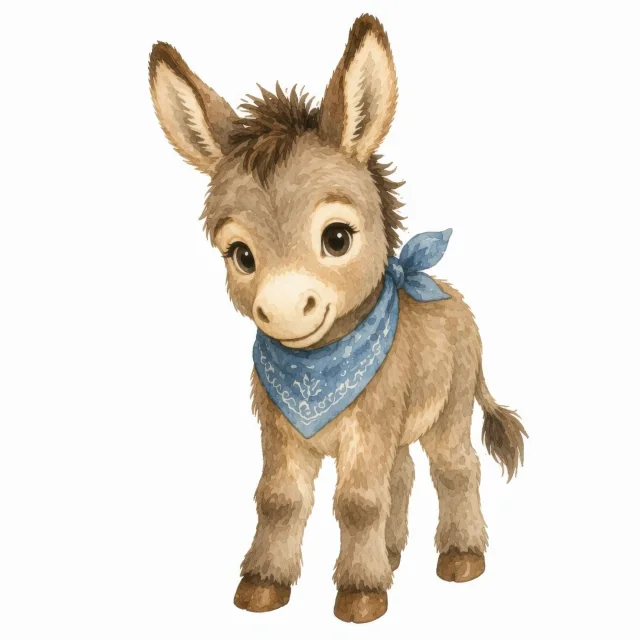
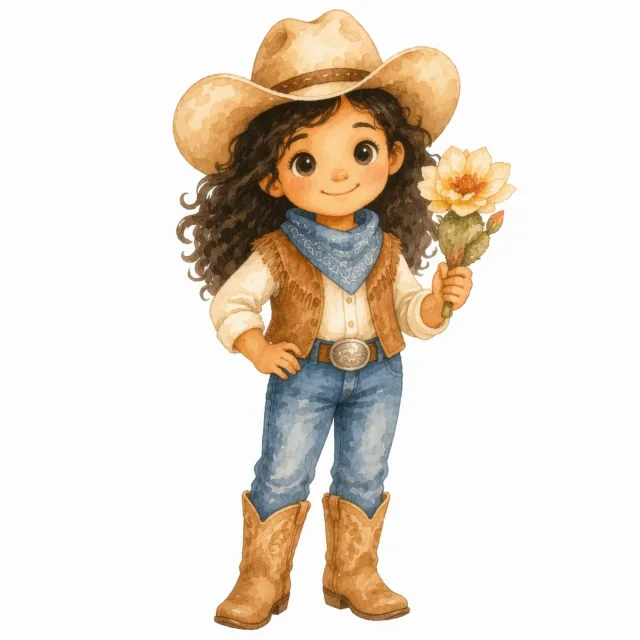
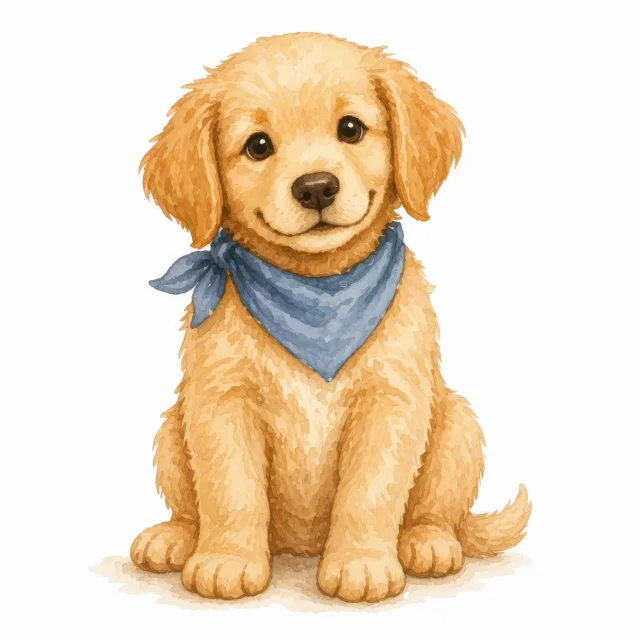
A cute {donkey, cowboy girl, cowboy dog} in a blue bandana, soft watercolour
- AddUpload imageChoose a promptChoose a stylePick a character
- Aspect ratio1:13:416:9Quality1K2K4KImages per prompt12
- Remove backgroundUpscale
Pick the model for each set
Image Creator puts 20 image models in one prompt box. Some are quick and cheap for drafts, some are better at detail or at lettering. Switch between them on every run.
- Write the promptDescribe the clipart, and add reference images if you want a style kept.
- Pick a modelOpen the model list in the prompt box. Each model shows its logo and what it is good at.
- Check the cost and generateThe credit total updates with the model and quality you pick, before anything runs.
- FLUX.2 Klein 4BVery fast image generation
- FLUX.2 ProHigh-quality image generation and editing
- GPT Image 1.5Precise creative image generation
- GPT Image 2Premium creative image generation
- GPT Image 2.5 FlareFast GPT Image 2.5 generation
- GPT Image 2.5 SunburstPrecision GPT Image 2.5 generation
- GPT Image 2.6 FlareNewFast GPT Image 2.6 generation
- GPT Image 2.6 SunburstNewPrecision GPT Image 2.6 generation
- Grok Imagine Image 2.0Fast general-purpose generation and editing
- Ideogram v4Design-forward images with sharp text rendering
- Nano BananaConversational image editing and fusion
- Nano Banana 2Fast everyday image generation
- Nano Banana 2 LiteFast lightweight image generation
- Nano Banana 2.1NewFast image generation with sharper text
- Nano Banana ProHigher-detail image generation
- Recraft v4Design-taste images with integrated text
- Recraft v4.1Sharper prompt control and cleaner composition
- Seedream 4.0Versatile generation and reference editing
- Seedream 4.5Stylized high-detail image generation
- Seedream 5.0 ProFlagship image generation with precise layouts
One line, a whole set
Put the parts that change inside curly braces, separated by commas. Each option becomes its own prompt, with the rest of the line kept word for word, so every image in the set shares the same style. This is how you make a clipart pack in one run.
A cute {donkey, cowboy girl, cowboy dog} in a blue bandana, soft watercolor
- 1A cute donkey in a blue bandana, soft watercolor
- 2A cute cowboy girl in a blue bandana, soft watercolor
- 3A cute cowboy dog in a blue bandana, soft watercolor
On Studio, one line can be 30 prompts and up to 60 images.
Write the options once instead of typing and submitting the same prompt again for every animal, color or season. You get up to 2 images for each option, and the credit total shows before the run starts. One set of braces per prompt; prompt sets come with paid plans.
- Starter4prompts from one lineup to 8 images per run
- Pro10prompts from one lineup to 20 images per run
- Studio30prompts from one lineup to 60 images per run
How to make transparent PNG clipart
AI images come back on a background, so the cutout is the last step. Ask for a plain white background in your prompt so the edges stay clean, then press Remove background on any result. Background Remover opens with the picture already loaded and gives you a transparent PNG at the same pixel size, ready to zip into a set. Check line art and white details at full size: Edit cutout lets you erase or restore any spot by hand. Need a cut file too? Send the PNG to Vectorizer for an SVG.
AI clipart you can sell
Everything you make is yours to use commercially, on every plan, Free included: Etsy listings, print on demand products, digital download packs and ads. There is no watermark. Prompts, reference images and results stay private in your Library unless you share them, so your next collection is not on show before you list it. Commercial use is subject to the rights in anything you bring in, such as a reference image, so use art you own or have a licence for. Put the finished set on a mug or a print in Product Mockups for your listing photos.
Image size and the upscale path for print
Pick the quality inside the model menu: 1K, 2K or 4K, depending on the model. A 2K square comes out about 2,000 px on each side, which is plenty for listing images and stickers. For larger prints, press Upscale on the result: Image Upscaler enlarges it about 4x on the long edge, up to about 4000 px, which prints about 13 inches wide at 300 DPI. Then set 300 DPI in the download dialog, or run the files through Change DPI.
An AI sticker generator for die-cut designs
For stickers, ask for a die-cut sticker with a thick white border on a plain background, or choose the Die-cut Sticker style from the + menu. Put the designs that change in braces, such as die-cut sticker of a {strawberry, lemon, cherry} with a white border, and one run fills a whole sheet in matching style. Remove the background to print them on sticker paper, or turn each cutout into an SVG for a cutting machine.
What Image Creator does
A whole set from one line
Put the parts that change in curly braces, like watercolour {fox, deer, owl} on a white background, and each option becomes its own picture in the same style. Prompt sets come with paid plans.
Transparent PNGs in one click
Every result has a Remove background button. Background Remover opens with the picture loaded and hands back a transparent PNG at the same size.
Keep your style
Upload a reference image from the + menu and keep it for the next prompts, so new clipart matches the sets you already sell.
Ready-made styles
Choose a style from the + menu, such as Soft Watercolour, Kawaii, Boho Line Art or Die-cut Sticker, or reuse a prompt you saved in your Library.
Model, size and shape
Each model shows what it does best. Pick 1K, 2K or 4K where the model offers it, and any aspect ratio it supports, from square to 21:9.
See the cost first
Set 1 to 2 images per prompt. The Generate button shows the credit total before anything runs.
What people make with Image Creator
Clipart bundles
Animals, florals or seasonal pieces in one style, sold as a pack of transparent PNGs.
Sticker sheets
Die-cut sticker art with white borders, cut out and ready to print.
T-shirt and mug designs
Graphics for print on demand, made at 2K or 4K and upscaled for the print area.
Listing and social graphics
Spot illustrations for listing photos, posts and shop banners in your shop's style.
Who it's for
Clipart sellers
Draft a themed pack in one run, cut it out and list it as transparent PNGs the same day.
Sticker shops
Make die-cut sticker art with a white border, then cut it out or turn it into an SVG.
Print on demand shops
Try t-shirt, mug and tote ideas as finished art before you commit to one.
Questions about Image Creator
- How does the AI clipart generator work?
- Describe the clipart in the prompt box, add a reference image or a style if you like, pick a model and press Generate. The images land in your Library, private to your account.
- Is the AI clipart generator free?
- You can start free. New accounts get 20 free credits on the free plan, with no card. Each image uses credits, and the Generate button shows the total for the model and quality you picked before anything runs.
- Can I make transparent PNG clipart?
- Yes. Results come on a background, so press Remove background on any result. Background Remover gives you a transparent PNG at the same size, in one click.
- Can I sell the clipart I make?
- Yes, on every plan. What you make is yours to use commercially, on Etsy, print on demand products, digital downloads and ads, with no watermark. Commercial use is subject to the rights in any source material you add, such as a reference image.
- What size are the images?
- It depends on the quality you pick in the model menu: 1K, 2K or 4K, where the model offers it. A 2K square is about 2,000 px on each side. Upscale a result when you need a bigger print.
- What does {a, b, c} do in a prompt?
- Each choice inside the curly brackets becomes its own picture, so one line can make a whole set. You can use one set of brackets per prompt. It needs a paid plan, and the number of prompts per run depends on the plan.
- Is there a limit per run?
- Yes. Each plan limits the prompts per run, the images per prompt and the total images in one run. Free: up to 2 images per prompt and 2 per run, without prompt sets. Starter: up to 4 prompts and 8 images per run. Pro: up to 10 prompts and 20 images per run. Studio: up to 30 prompts and 60 images per run. The pricing page has the current details.
- Can I turn a photo or a drawing into clipart?
- Yes. Upload it from the + menu as a reference image and describe the clipart you want from it. How many reference images you can add depends on the model you pick.
- Do I need Photoshop or design skills?
- No. You write a sentence and pick from menus. The cutout, the upscale and the DPI are each one click from the result.
- Are my prompts public?
- No. Prompts, references and results are private to your account unless you share them.
One membership. Every tool, Image Creator included.
20 free credits for new accounts · No credit card · Free plan available