Etsy listing templates for digital products, ready for your artwork
Pick a template set made for what you sell, drop in your artwork and change the words. The set lays out every listing photo for you: cover, preview, what's included, sizes, licence and thank you.
20 free credits for new accounts · No credit card · Free plan available
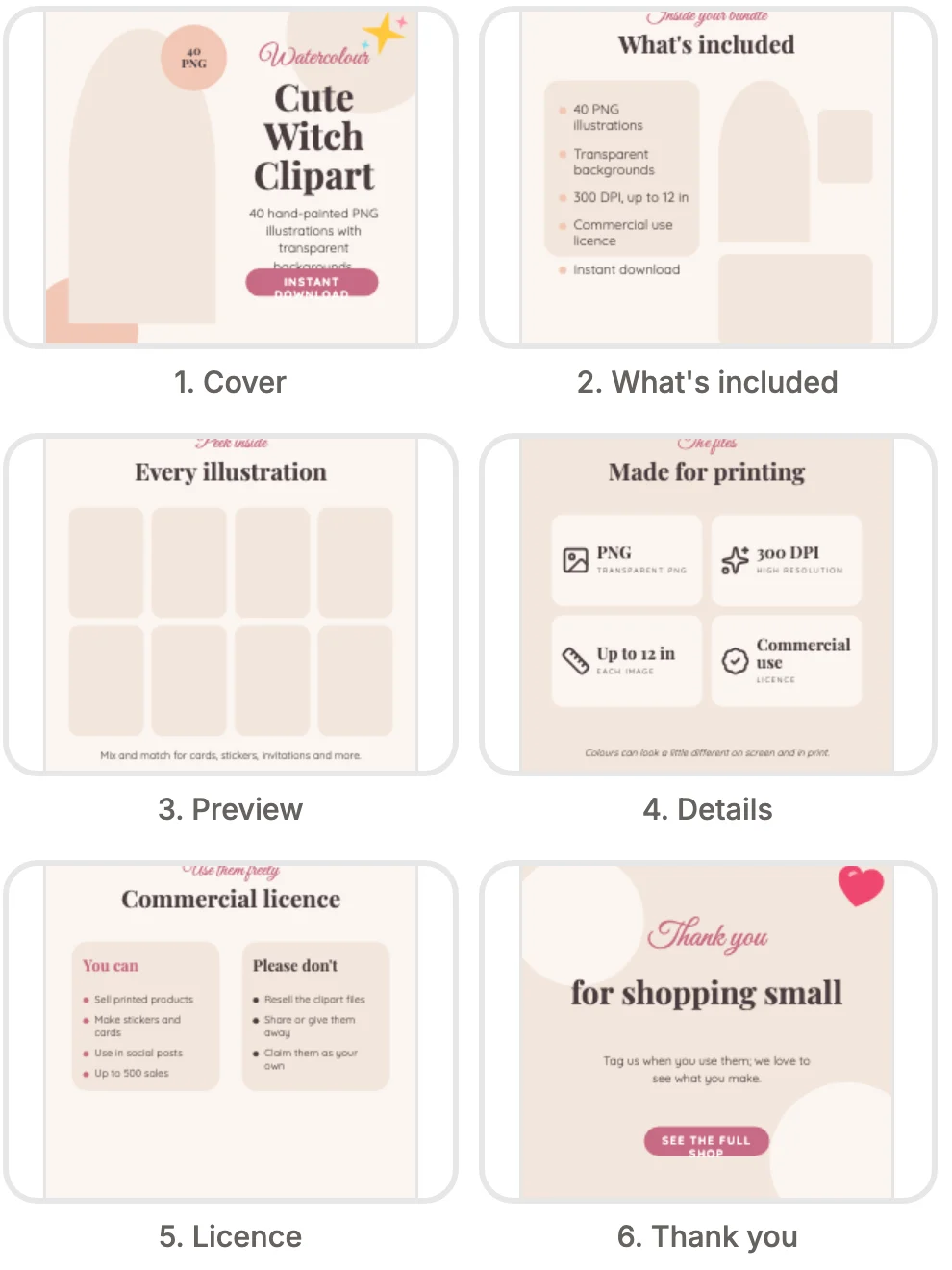
The Soft watercolour clipart set as Design Studio draws it, with the frames still empty for your pictures.
How to use Design Studio
4 steps, from what you bring to what you download.
Choose a template set
Pick your product and a look, or start from a blank page at the size you need.
Add your artwork
Drop images from your Library or computer into the frames. They fit the frame, and you can move or crop them.
Change the words
Edit the titles, the details and the licence text, and switch to your brand fonts and colours.
Export every page
Download all the pages as PNG or JPG in one ZIP, or as a PDF, MP4 or GIF.
- Soft watercolour
 Classic wedding
- 3 pictures


Lemon Friends Clipart
Add a headingFont combinationsEffects- PNGAll pages (6)One ZIP
Etsy listing image size, done for you
Etsy recommends listing photos at least 2,000 px on each side, and the first photo shows as landscape or square in search results. Every template set is square at 2000 × 2000 px, and the titles sit in the middle three quarters of the page, so a landscape crop of your first photo never cuts a word. Export PNG for crisp text or JPG for smaller files, and upload the pages in the order the set puts them: the cover first, then the preview, the details and the licence.
What each page of a listing template shows
A clipart set opens with a cover that names the collection and the file count, then shows the transparent background, the features, what's included, your licence and a thank-you page. The licence page lists personal and commercial use, what is not allowed and how buyers download from Etsy. Planner sets add the sizes and how the pages look on a tablet. Wall art sets show a gallery or framed cover and the print sizes. Digital paper sets show the repeat and the palette. Invitation sets show the suite, the sizes, how buyers edit and print, a free demo page and a place for one of your own reviews.
Template sets for every kind of digital product
There are three looks for each of 13 kinds of product, so a baby shower listing can be Sage linen, Dusty blue gingham or Boho arch, and a birthday listing Confetti party, First birthday pastel or Black and gold. Clipart, colouring pages, digital paper, junk journals, planners, spreadsheets, SVG bundles, wall art, evites, wedding invitations and social kits each have their own pages too. Use all six pages of a set, or only the ones your listing needs, and save a finished design to start the next listing from it.
Make it yours, with AI where it helps
Use my brand colours and fonts recolours any set into your shop's palette in one step. Inside the editor, AI Creator makes a new graphic from a description, AI Edit upscales a picture, removes its background or retouches it, and Edit image adds filters and adjustments, all without leaving the page. Designing and exporting cost no credits; the AI tools use credits like the rest of the studio. Bring in mockups and clipart from your Library, and the same artwork turns into posts and short animations for your socials.
What Design Studio does
Template sets for what you sell
Clipart, junk journals, baby shower, birthday, wedding invitations, evites, wall art, colouring pages, spreadsheets, digital paper, planners, SVG bundles and social kits, in three looks each.
A whole listing in one set
Six matching pages per set, from the cover to the thank-you page, drawn in one style with one palette and one pair of fonts.
Sized for Etsy
Every page is 2000 × 2000 px, with the words kept in the middle so the thumbnail crop in search never cuts them.
Your artwork in the frames
Drop images from your Library or your computer into the frames, and they fit themselves. Move or crop them as you like.
Text, graphics and your brand
Over 1,900 fonts with font combinations, text effects, shapes, frames, icons and hand-drawn stickers. One click swaps in your brand colours and fonts.
Export for listings, print and video
PNG or JPG for listing photos, a PDF for print with optional bleed, and MP4 or GIF for animated posts.
What people make with Design Studio
Clipart listing images
A cover with the file count, a preview grid, a transparent background page and the licence.
Planner and spreadsheet listings
Device previews, sizes and what's included for digital planners and spreadsheet templates.
Wall art and printable listings
A framed cover, close-ups and the print sizes buyers ask about.
Invitation and evite listings
The suite, the sizes, how to edit and a demo page for editable invitations.
Who it's for
Digital download shops
Make the full set of listing images for a planner, invitation or digital paper pack in one sitting.
Clipart sellers
Show a clipart bundle with a cover, a preview of every piece, the transparent background and the licence.
Social posts
Turn the same artwork into posts and short animations for your shop's socials.
Questions about Design Studio
- What are Etsy listing templates?
- Ready-made listing photos that you fill with your own artwork and words. In Design Studio each template set is six matching pages, from the cover to the thank-you page, made for one kind of digital product.
- What size are the listing images?
- Every page is 2000 × 2000 px, square, with the words kept away from the edges so the thumbnail crop in Etsy search does not cut them. Etsy recommends at least 2,000 px on each side.
- Can I use my own artwork?
- Yes. Add images from your Mockably Library or upload them from your computer, and drop them into the frames.
- Which file types can I export?
- PNG and JPG images, all pages in one ZIP; a PDF at Print (300 DPI) or Digital (150 DPI), with optional bleed; an MP4 video at 720p, 1080p or 4K; and a looping GIF.
- Which template sets can I use?
- Starter opens 1 of the three looks for each kind of product, and Pro and Studio open every set. Every plan can start from a blank page at any size.
- Do I need design software or design skills?
- No. Design Studio runs in your browser, inside your Mockably account. You drop in images and type over the words.
- Can I make printables too, or only listing images?
- Both. Start from a blank page at any size for an invitation, a planner page or wall art, and download it as a PDF at its real size, with bleed for a print shop.
- Can I animate the pages?
- Yes. The Animate panel moves text and images on a page, and the export makes an MP4 or a looping GIF from your pages for posts and ads.
- Does it use credits?
- Designing and exporting do not. The AI tools inside it, such as making a graphic from a description, use credits like the rest of the studio.
- Are my designs saved?
- Yes. Designs save as you work, and you find them all on the Design Studio page.
One membership. Every tool, Design Studio included.
20 free credits for new accounts · No credit card · Free plan available