Skip to content
All guides
Design Studio

Animate a design for social posts

Give text and pictures movement, then download a video or a GIF.

1 min read
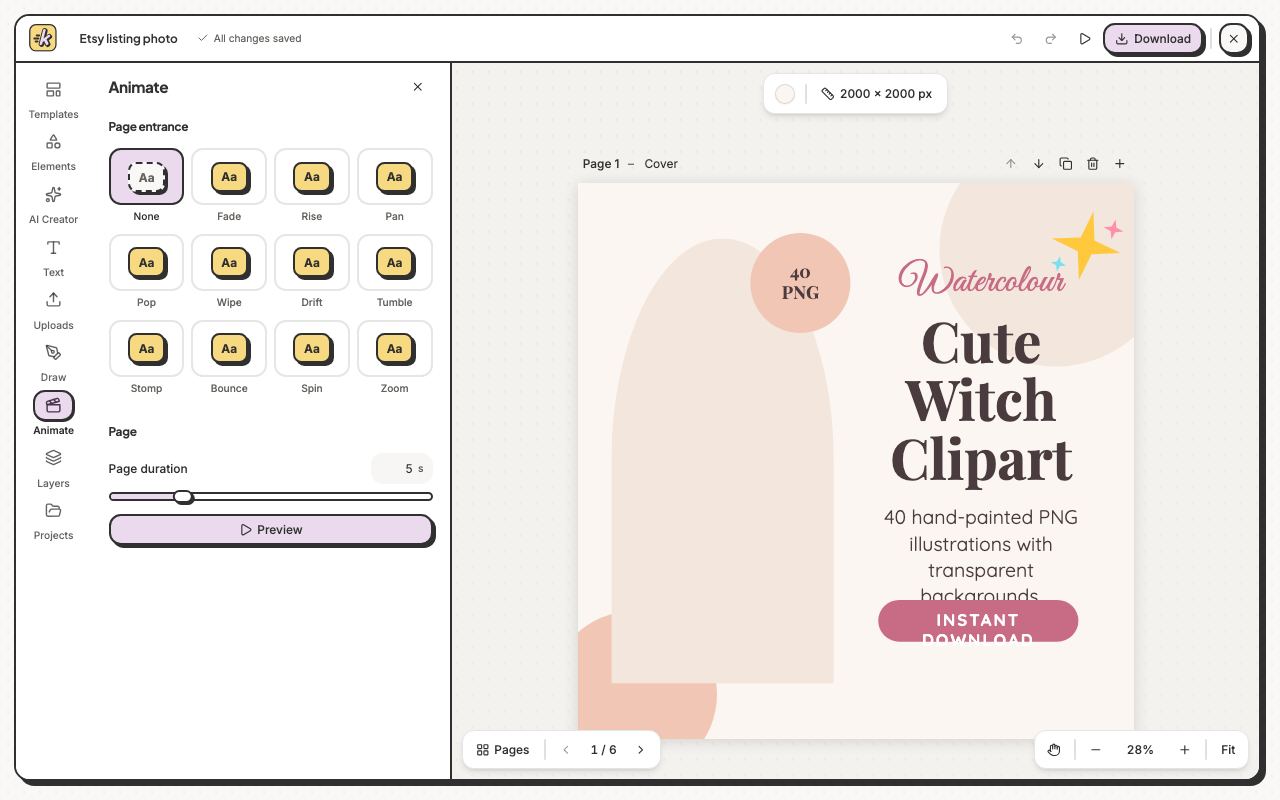
Animate gives your page an entrance, and each element an entrance, an exit or both.
1Animate gives your page an entrance, and each element an entrance, an exit or both.
  1. Click Animate on the left.
  2. Select an element, or nothing for the whole page, and pick a movement such as Fade, Rise, Pop or Bounce.
  3. For an element, choose under Animate whether it plays on enter, on exit or both.
  4. Set the Page duration, then click Preview.

Still stuck?

Message the team from Support in the app, or send us a note here. A real person will answer.

Contact us

Try it on your own designs

Start free

20 free credits for new accounts · No credit card · Free plan available