Make your first design in Design Studio
Open Design Studio, pick a size and start designing.
1 min read
Design Studio is where you make listing images, printables like invitations and planner pages, and social posts. It runs in your browser.
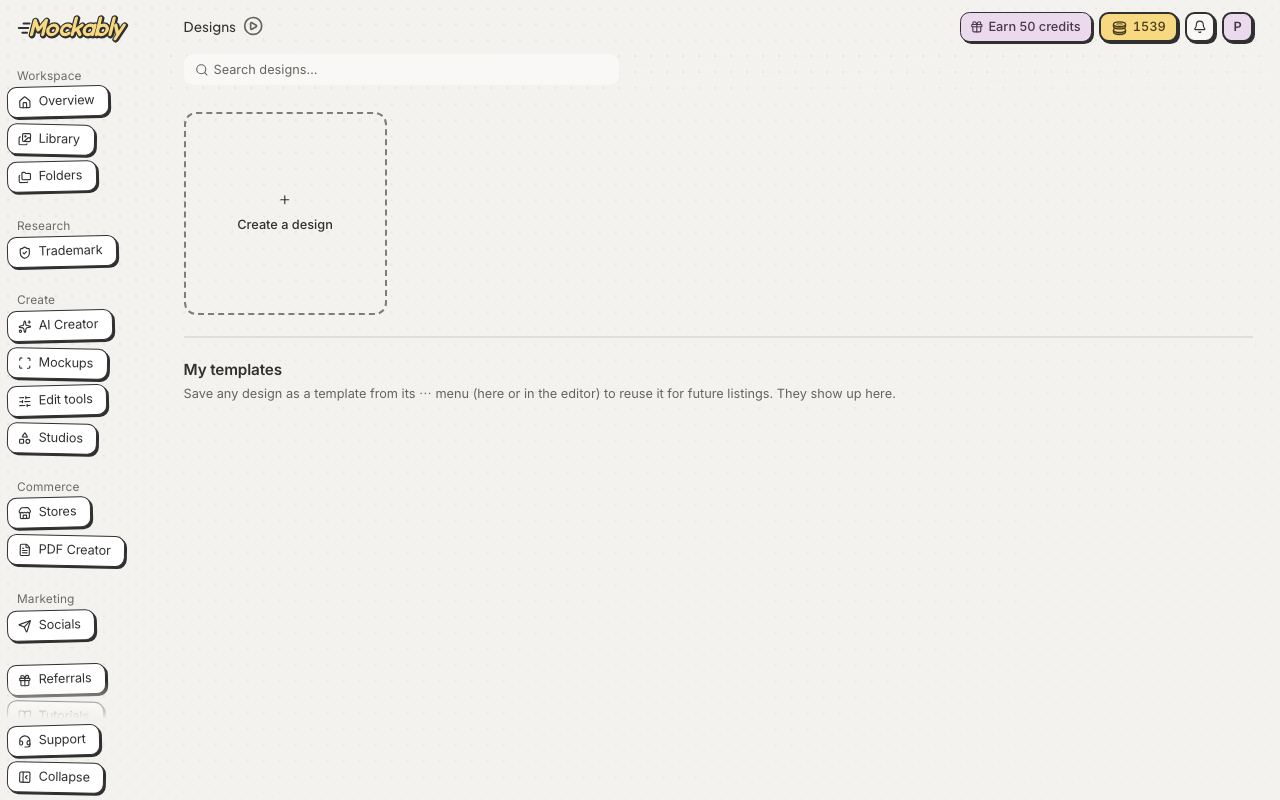
- Click Studios in the menu, then click Design Studio.
- Click Create a design.
- Pick a ready-made size, such as Etsy listing photo (square) or Invitation (portrait), or set a custom size in pixels, centimetres, millimetres or inches. Saved your own templates? They are under My templates.
- Your design opens full screen. Add a template, text or pictures from the tools on the left.
- Templates
- Ready-made pages and whole listing sets
- Elements
- Shapes, lines, frames, grids, stickers and icons
- AI Creator
- Make a new picture from a description
- Text
- Headings, font pairs and over 1,900 fonts
- Uploads
- Your own pictures and your Library. Click one to add it; the panel stays open until you close it with its X
- Draw
- Pen, marker, glow pen, highlighter and eraser
- Animate
- Movement for videos and GIFs
- Layers
- Everything on the page, in order
- Projects
- Your other designs