Skip to content
All guides
Plans & credits

Payments, card and invoices

Pay by card, change it, and download receipts.

1 min read

Payments go through a secure payment service. We never see or keep your full card number.
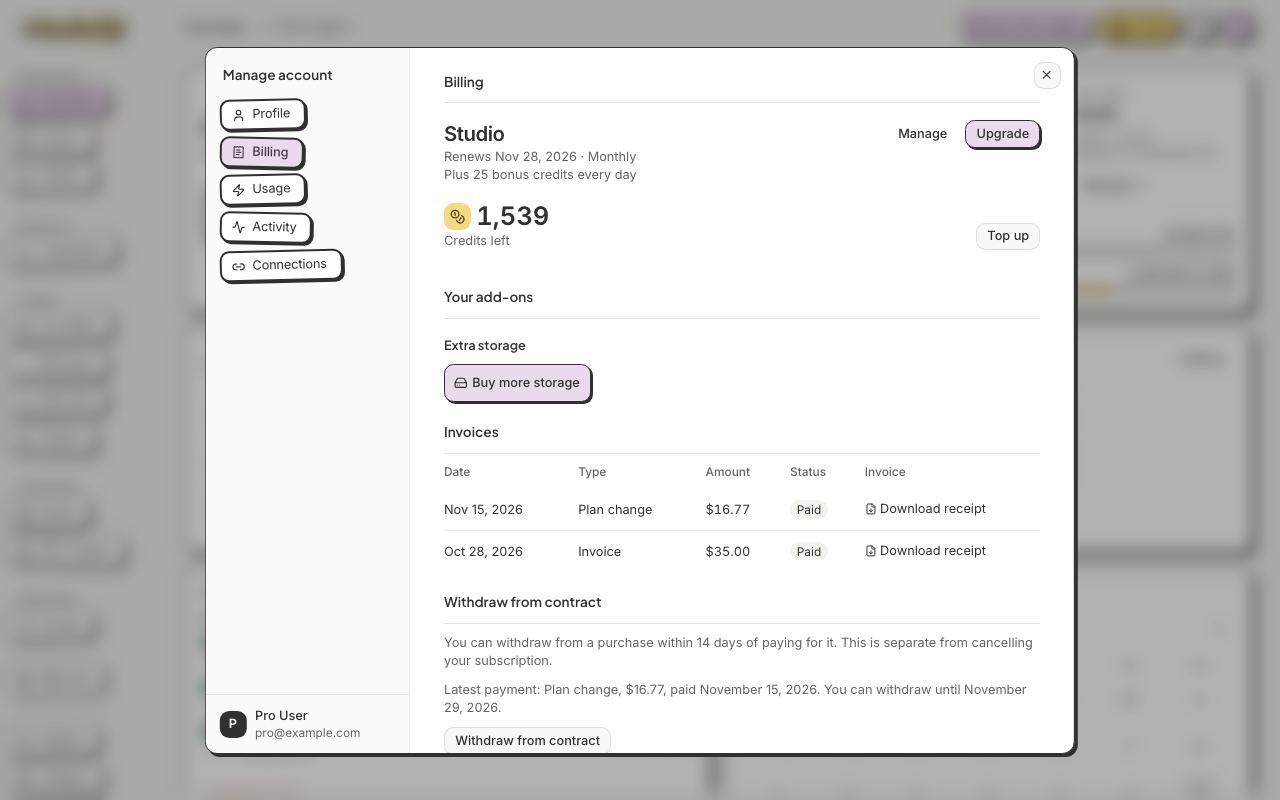
Your invoices and receipts are in Manage account → Billing, under Invoices.
1Your invoices and receipts are in Manage account → Billing, under Invoices.Show me
  1. Click your avatar, then Manage account.
  2. To change your card, open Billing and click Manage.
  3. To get a receipt, open Billing and click Download receipt (or Download PDF, or View invoice) under Invoices.

Still stuck?

Message the team from Support in the app, or send us a note here. A real person will answer.

Contact us

Try it on your own designs

Start free

20 free credits for new accounts · No credit card · Free plan available