Cancel my subscription
Cancel anytime. Your plan stays until the period ends.
2 min read
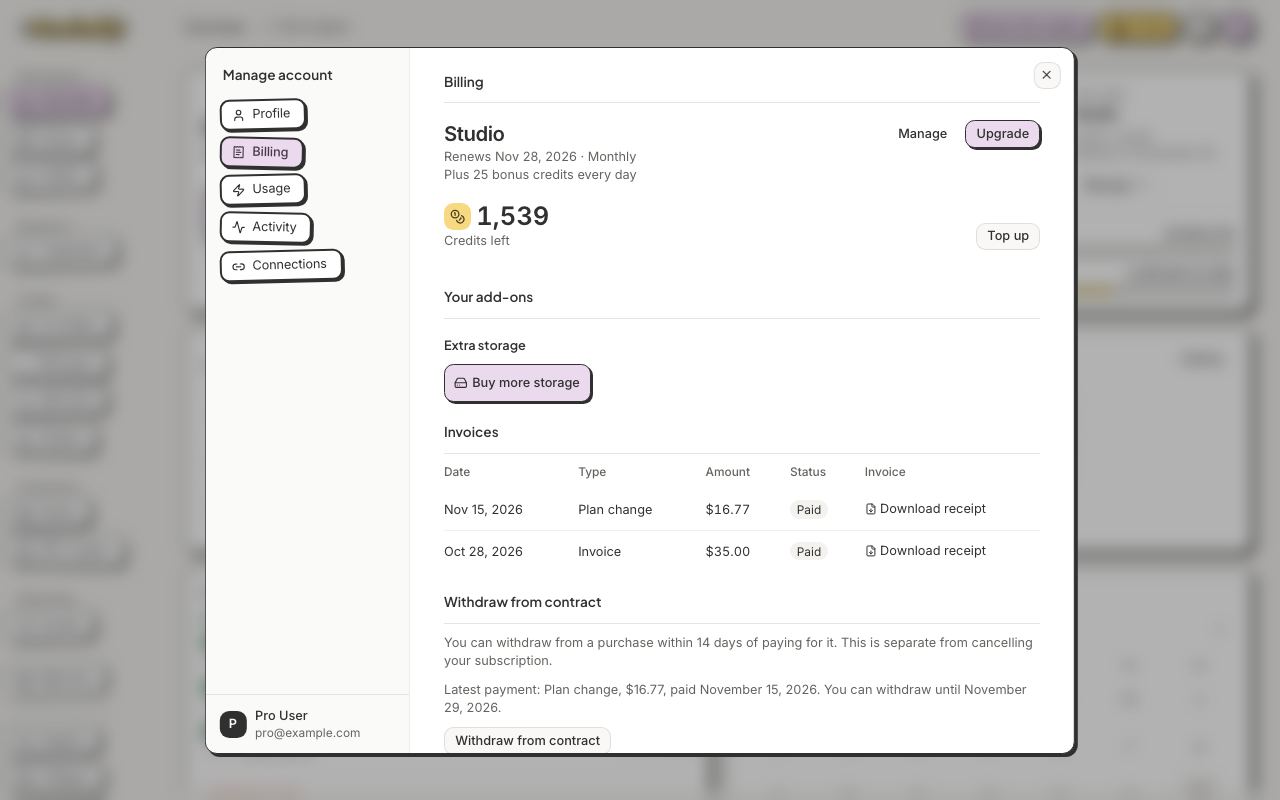
- Click your avatar, then Manage account.
- Open Billing and click Cancel subscription, in small letters at the bottom right.
- Before you go shows what you would lose, what happens to your credits and, when there are any, offers to stay, such as a discount or a pause. Click an offer, or Keep and your plan's name (for example Keep Pro), to stay.
- Still want to go? Click Cancel subscription (in some countries, Continue to cancel, then Cancel subscription under Confirm cancellation), and finish on the secure billing page that opens. If a plan change is already booked, it is done right away, without that page.
You keep your plan until the end of the period you paid for. Then you move to Free, and nothing more is charged.
Changed your mind before the period ends? Open Billing and click Keep with your plan's name (for example Keep Pro), and your plan carries on.
There, Billing also shows a Withdraw from contract button for 14 days after a payment. It takes two steps: click it, then confirm. We record your request, email you to confirm we received it, and a person replies. It does not refund you or cancel your subscription by itself, so cancel as well to stop future renewals. Any refund follows our Terms and the consumer law that applies to you.