Skip to content
All guides
Plans & credits

How many credits do I have?

See your credits and where they went.

1 min read
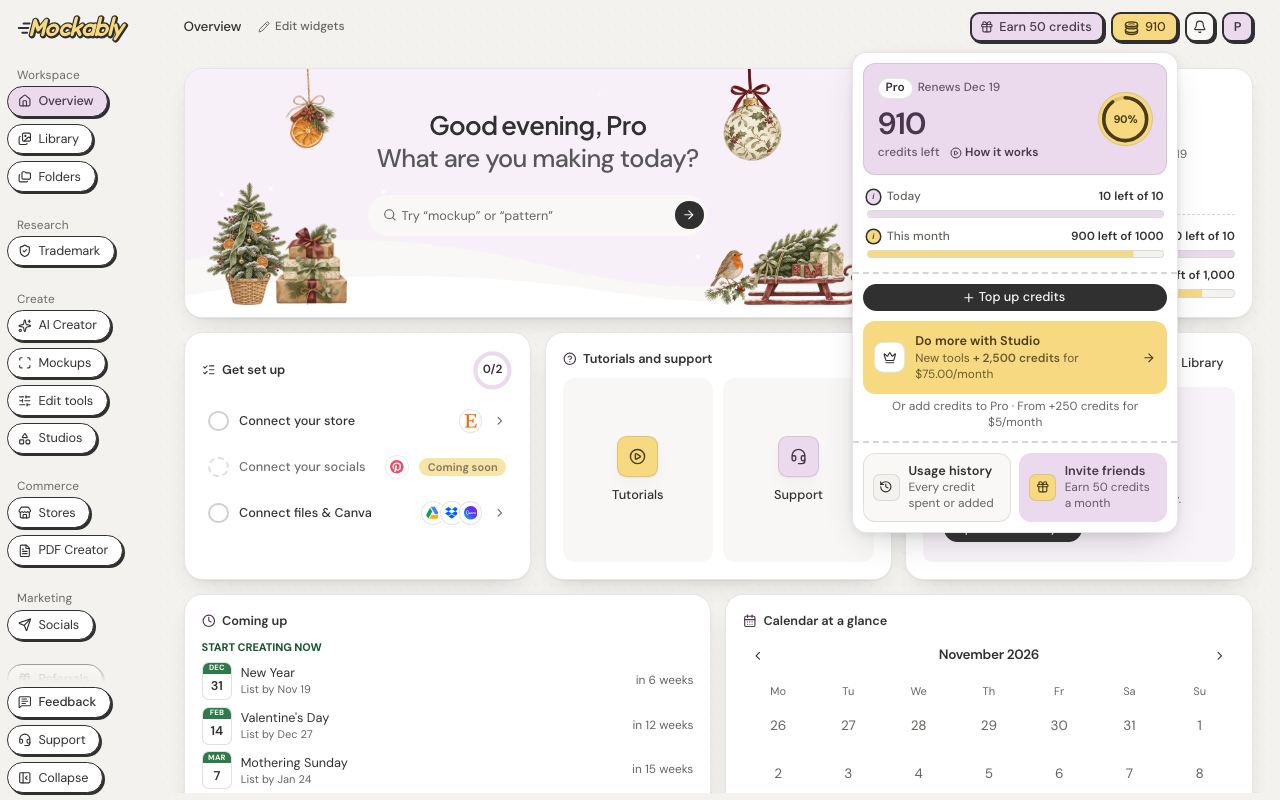
Click the yellow credits pill at the top. Top up credits buys more.
1Click the yellow credits pill at the top. Top up credits buys more.

The panel shows how many credits you have left, grouped by when they run out: Today, This month, Always yours and Offers. Click the i next to a group to see where its credits came from. It also shows the date your plan renews. Usage history lists every credit spent or added.
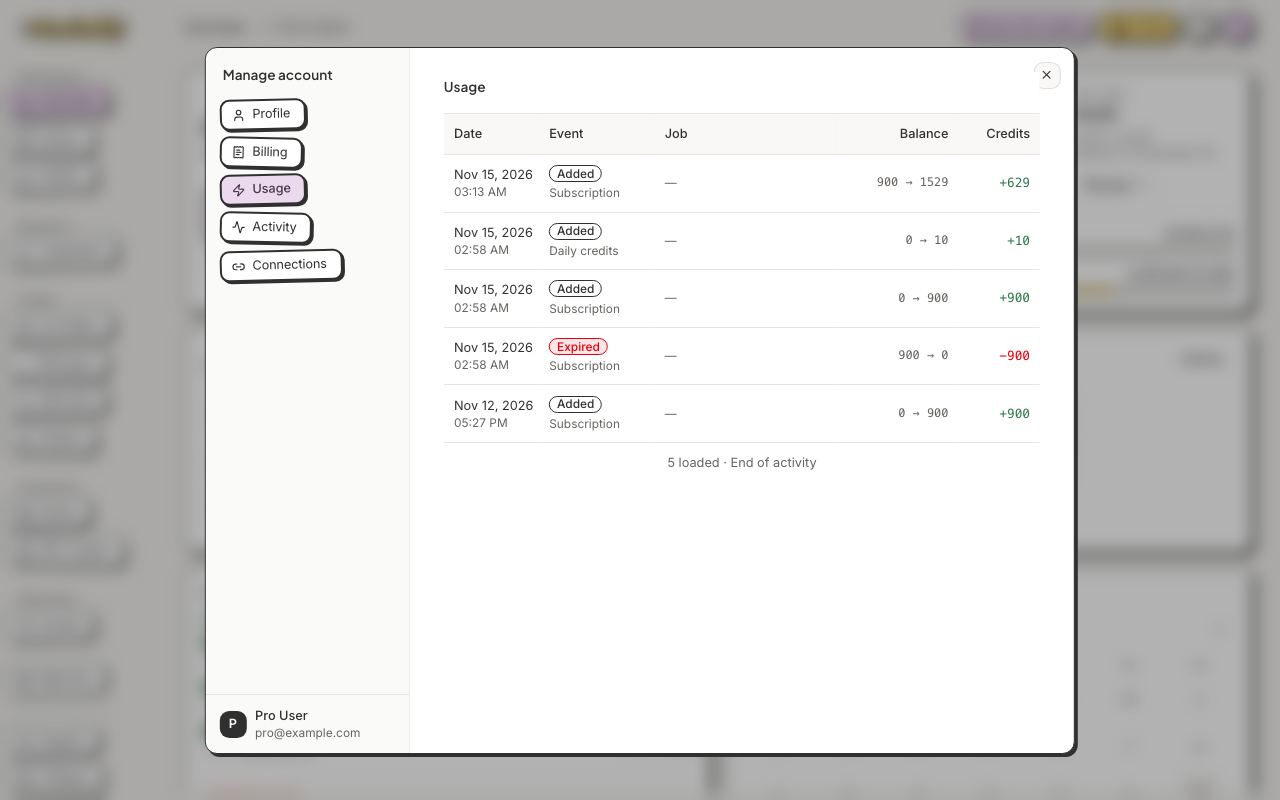
Manage account → Usage lists every credit spent or added.
2Manage account → Usage lists every credit spent or added.

Still stuck?

Message the team from Support in the app, or send us a note here. A real person will answer.

Contact us

Try it on your own designs

Start free

20 free credits for new accounts · No credit card · Free plan available