Skip to content
All guides
Your account

Change my password

Keep your account safe.

1 min read
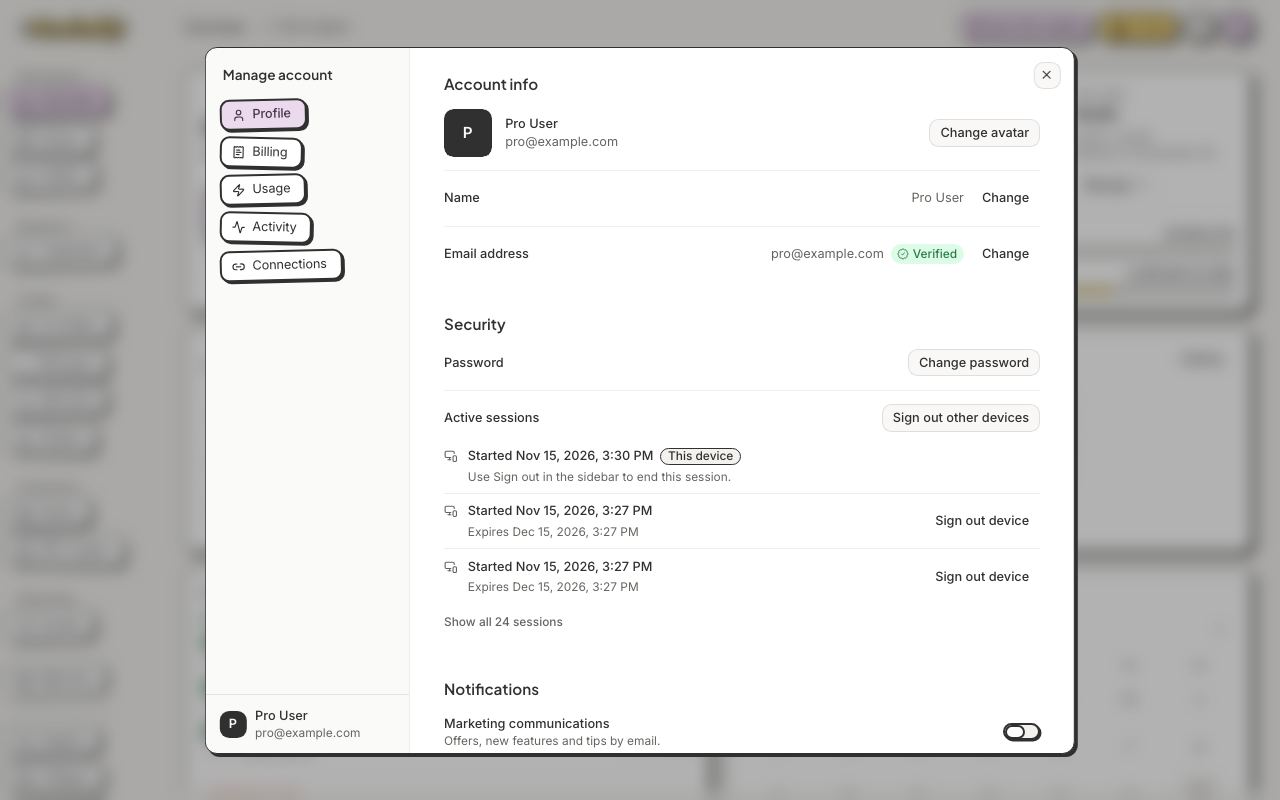
Manage account → Profile → Change password.
1Manage account → Profile → Change password.Show me
  1. Click your avatar, then Manage account.
  2. On Profile, under Security, click Change password.
  3. Type your current password, then a new one (8 characters or more) twice.
  4. Click Save password. Your connected apps are disconnected; connect them again afterwards.

Still stuck?

Message the team from Support in the app, or send us a note here. A real person will answer.

Contact us

Try it on your own designs

Start free

20 free credits for new accounts · No credit card · Free plan available