Find your way around
A quick tour of the menu on the left.
1 min read
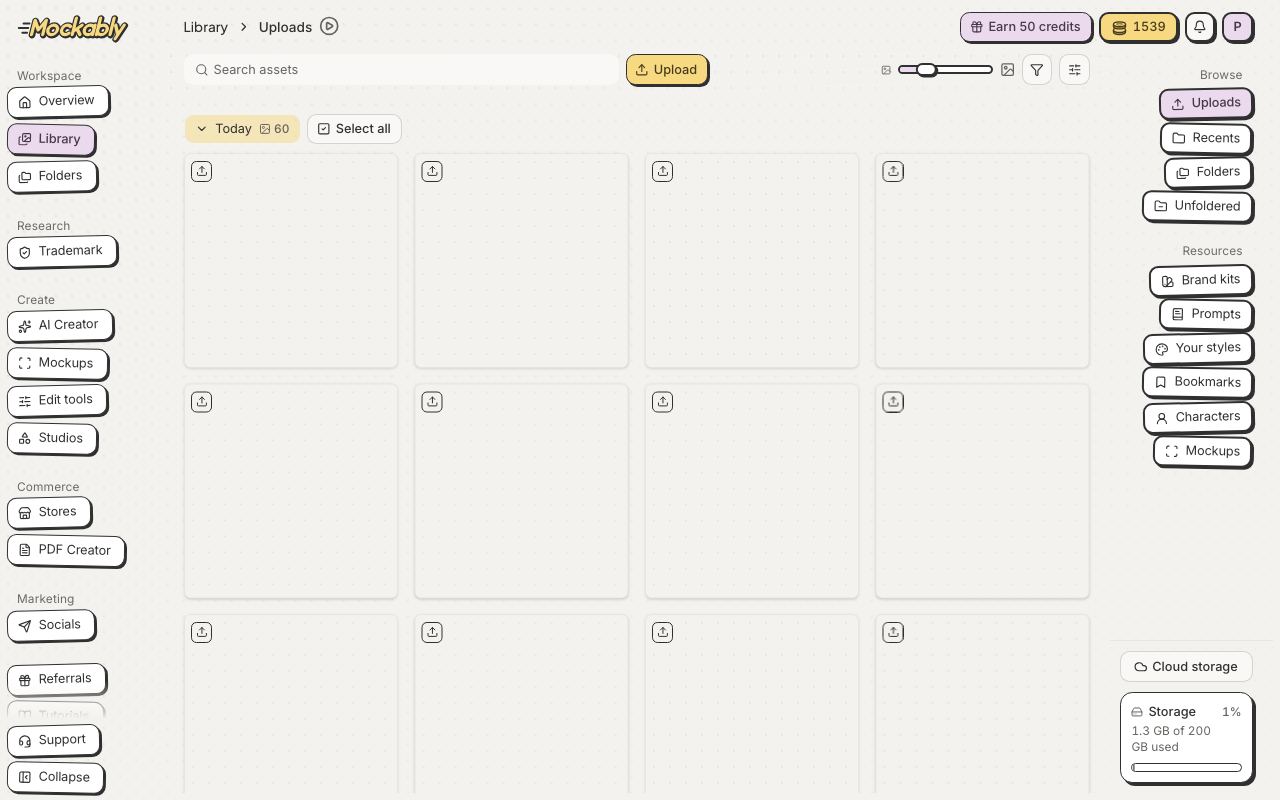
Everything lives in the menu on the left, in a few groups: Workspace, Research, Create, Commerce and Marketing. Hover a group in Create to see its tools, or click it to open its page. Some items only show once they are turned on for your account.
- Overview
- Your home: credits, your daily credits and quick links
- Library and Folders
- Every image you upload or make, plus brand kits, characters, prompts and styles. Folders opens your folders straight away
- Research
- Trademark, to check a phrase before you use it
- AI Creator
- Image Creator, Invite Creator, Colouring Book Creator, Clipart Badge and GIF Maker
- Mockups
- Smart Mockups, Product, Collection, Custom and Blank Mockups, and Mockup Merge
- Edit tools
- Upscale, remove backgrounds, make SVGs, change DPI and more
- Studios
- Colorways, Seamless Studio, Brand Studio, Design Studio and Character Studio
- Commerce
- Stores, for your Etsy shop and listings, and PDF Creator, for the PDFs buyers download
- Marketing
- Socials, for Pinterest (coming soon)
- Referrals and Tutorials
- Invite friends, and short lessons for each tool
- Support
- At the bottom of the menu: answers and a chat with our team
- Feedback
- Just above Support: report a bug, suggest an idea or tell us anything